
TL;DR:
- Stairlift remote service encompasses basic controls, diagnostics, and cloud monitoring to ensure safe and efficient operation.
- While remotes allow calling and sending the lift, seated ride control always relies on onboard buttons for safety.
- Regular professional servicing remains essential, as remote monitoring cannot detect all mechanical or structural issues.
Many people assume a stairlift remote service simply means the little handheld device that calls the lift to another floor. In reality, what is stairlift remote service covers a much broader picture: from basic remote controls and wall-mounted call buttons, through to remote diagnostics and cloud-based monitoring that allow engineers to detect faults before you even notice them. Understanding the full scope of these features helps you get more from your stairlift, maintain your independence safely, and avoid unnecessary service call-outs.
Table of Contents
- Key takeaways
- What stairlift remote controls are and how they work
- Troubleshooting stairlift remote problems
- Advanced remote stairlift services: diagnostics and monitoring
- When professional maintenance is still non-negotiable
- Using stairlift remote features safely at home
- My take on remote stairlift technology
- How Gentlerisestairlift supports you beyond the remote
- FAQ
Key takeaways
| Point | Details |
|---|---|
| Remote controls have limits | Handheld remotes call or send the lift but cannot replace onboard controls for seated travel. |
| Basic checks fix most issues | Checking the key switch, battery, and power connection resolves the majority of remote faults. |
| Remote diagnostics go further | Cloud-connected stairlifts transmit fault codes to engineers, enabling faster and more accurate repairs. |
| Professional servicing is non-negotiable | Remote monitoring cannot replace hands-on checks of tracks, motors, and safety sensors. |
| Smartphone apps are not full controllers | Apps mainly provide status viewing and call or send functions, not seated ride control. |
What stairlift remote controls are and how they work
When people talk about stairlift remote controls, they usually picture the small handheld device that came in the box with their lift. That device does one core job well: it lets you call the chair to your floor or send it away so someone else can use it from the other end of the staircase. But explaining stairlift remote controls properly means going a little deeper than that.
Most stairlifts come with two types of remote control hardware:
- Handheld remotes (usually two supplied, one per floor): These allow any family member or carer to position the lift wherever it is needed without physically riding it.
- Wall-mounted call or send buttons: Fixed at the top and bottom of the staircase, these perform the same call or send function and are particularly useful for caregivers in a hurry.
- Infrared remotes: Work on line-of-sight, similar to a TV remote. They require a clear path to the receiver and can be disrupted by bright sunlight or obstructions.
- Radio frequency (RF) remotes: Transmit through walls and furniture, making them more reliable for awkward staircases or multi-floor townhouses.
- Key switches: A physical key on the chair arm or control panel that can disable all remote functions entirely, preventing unauthorised use. This is a safety stop feature that caregivers and families with young children rely on heavily.
One point that surprises many new stairlift owners is that remotes cannot control the lift while someone is seated in it. Safety standards require that seated operation uses constant-pressure controls mounted directly on the chair. You must hold the joystick or paddle throughout the journey. The moment you release it, the lift stops. This is deliberate. Remote ride control would remove that immediate physical safety override, and no reputable manufacturer allows it.
Some wall-mounted units include an emergency stop button that lets a carer halt the lift instantly from the bottom of the stairs, which adds a meaningful layer of reassurance for households where the lift user has limited reaction time.
Troubleshooting stairlift remote problems
Before calling an engineer, there is a reliable sequence of checks that resolves the majority of remote control faults without any tools or technical knowledge. Most service providers, including Gentlerisestairlift, find that a significant number of call-outs relate to issues a homeowner could have fixed in under two minutes.
- Check the key switch first. If the key on your armrest or control panel is turned off or has been removed, all controls stop working, including the remotes and the onboard joystick. This is the most commonly overlooked cause of a "dead" stairlift.
- Confirm the mains power. Check that the plug has not been accidentally switched off at the socket. Stairlifts charge continuously via the rail, so a disconnected plug will eventually drain the battery.
- Replace the remote batteries. Handheld remotes use standard AA or AAA batteries. Weak batteries cause intermittent response before failing completely, which is often mistaken for a fault in the lift itself.
- Check the seat swivel position. Most stairlifts will not respond to any controls, remote or onboard, if the seat is swivelled out to the transfer position and not locked back to the travel position. This is a deliberate safety interlock.
- Re-pair the remote if needed. Some models allow you to re-pair a remote by holding a button combination near the receiver. Your user manual will have the exact steps for your model.
- Look for indicator lights. Diagnostic LEDs on the control panel often flash a pattern that corresponds to a fault code in your manual, helping you decide whether to call for help.
Pro Tip: Keep your stairlift user manual somewhere accessible, such as in a kitchen drawer rather than a loft box. The fault code section alone saves many unnecessary service visits.
If none of the above resolves the issue, do not attempt to open the motor casing or adjust the rail yourself. That is the point at which a qualified engineer needs to step in.
Advanced remote stairlift services: diagnostics and monitoring
Beyond handheld remotes, the term "stairlift remote service" increasingly refers to something far more sophisticated: remote diagnostics and cloud-based monitoring. This is where modern stairlift technology is genuinely progressing, and it has real benefits for anyone who relies on their lift every day.
Remote diagnostics work by embedding a connected module within the stairlift that communicates performance data to a central system. When something goes wrong, the lift transmits a fault code rather than simply stopping without explanation. An engineer reviewing that data remotely can often diagnose faults early and arrive with the correct parts already in the van, cutting repair time significantly.
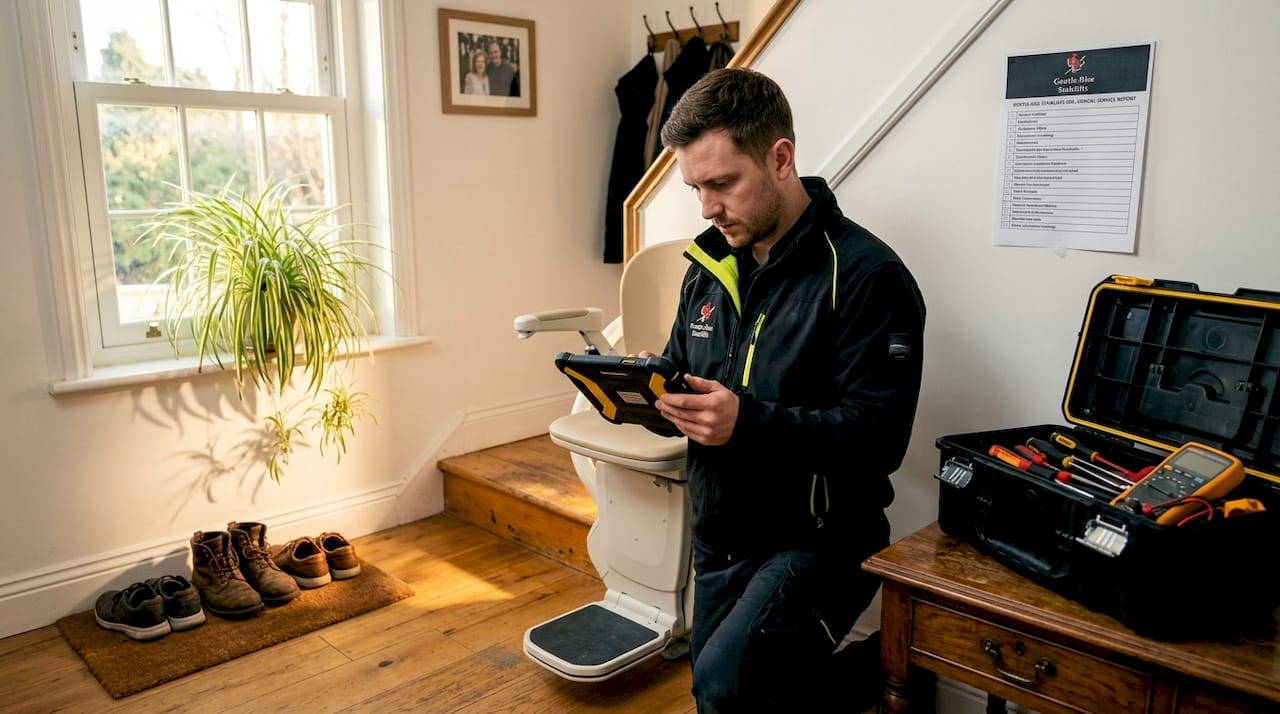
Cloud-based monitoring takes this further by tracking performance over time. Rather than waiting for a breakdown, the system flags gradual changes, a motor drawing slightly more current than usual, for instance, that suggest a component is wearing. This enables preemptive maintenance scheduling that reduces emergency breakdowns substantially.
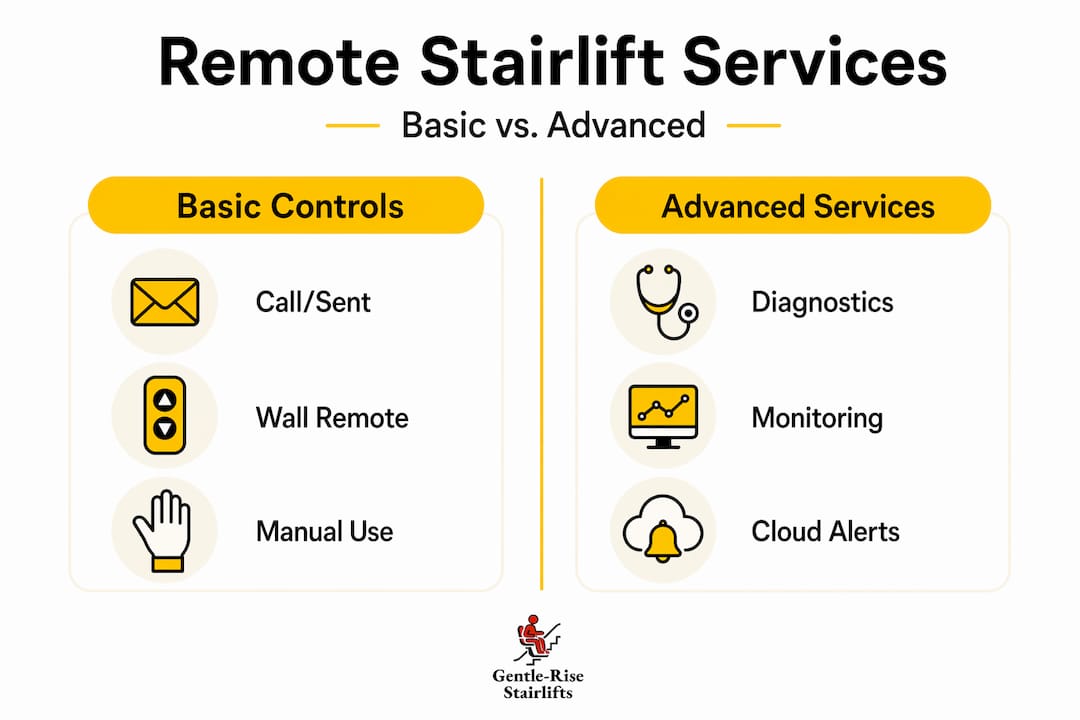
The table below clarifies the key differences between the different levels of remote stairlift service:
| Feature | Basic remote control | Smartphone app | Remote diagnostics and monitoring |
|---|---|---|---|
| Call or send the lift | Yes | Yes | Not typically |
| Ride control while seated | No | No | No |
| View lift status | No | Yes | Yes |
| Detect fault codes | No | No | Yes |
| Schedule service automatically | No | No | Yes |
| Receive software updates remotely | No | No | Yes |
A common misconception is that smartphone apps offer full ride control. In practice, apps are limited to call or send functions and status viewing. Many users expect to sit down and drive the chair from their phone. That is not how any current stairlift operates, and for very good safety reasons.
Remote software updates delivered over the air are an emerging benefit of connected systems, allowing manufacturers to improve lift performance without requiring a home visit.
When professional maintenance is still non-negotiable
Remote monitoring is genuinely useful, but it does not replace the hands-on inspection that keeps a stairlift safe over the long term. Regular professional servicing addresses things no sensor can adequately measure from a distance.
A qualified engineer visiting your home will check:
- Track alignment and lubrication: Dirt and debris on the rail cause the carriage to work harder, wearing the motor prematurely. A visual and tactile inspection catches this where a sensor might not.
- Motor and drive mechanism condition: Listening to and physically testing the motor reveals signs of wear that current-draw data alone cannot always confirm.
- Safety sensor calibration: Obstruction sensors under the footrest and at the carriage must respond within defined tolerances. Testing these physically is the only reliable method.
- Seat belt and harness integrity: Physical wear on webbing or buckles is invisible to any remote system.
- Manual release mechanism: Owners should know how to move the stairlift without power in an emergency, and an annual service is a good opportunity to confirm this still operates correctly.
Neglecting professional servicing because remote diagnostics seem to be giving the all-clear is a real risk. Remote systems detect electrical and software faults well. They are far less effective at identifying mechanical wear, structural concerns with the rail bracket fixings, or deterioration in upholstered components.
Pro Tip: Book a professional service once a year as a minimum, regardless of how well the lift appears to be running. Many faults develop silently over months before causing a noticeable problem.
For guidance on locating a trustworthy engineer, the Gentlerisestairlift guide on finding reliable servicing near you is a practical starting point that covers what to ask and what to expect.
Using stairlift remote features safely at home
Knowing what your remote can and cannot do makes daily life with a stairlift considerably less stressful. Here are practical ways to get the most from remote features while keeping safety central:
- Place remotes where you will always find them. Leaving them on a designated shelf at each landing prevents the common frustration of a lift stranded on the wrong floor because the remote is lost.
- Respond to diagnostic alerts promptly. If your connected stairlift sends an alert to an app or triggers a service call from your provider, do not delay. Early-stage faults are almost always cheaper and quicker to fix than failures.
- Never disable safety interlocks to make the remote more convenient. The key switch exists for a reason. Leaving it permanently on to save time is a habit that removes an important layer of protection.
- Keep contact details for your provider accessible. If a remote fault or diagnostic alert is beyond the basic checks, having your provider's number to hand avoids delays. Gentlerisestairlift's team can often advise over the phone before dispatching an engineer.
- Check your user manual when the remote behaves unexpectedly. Most symptoms have straightforward explanations in the troubleshooting section. The Acorn stairlift troubleshooting guide from Gentlerisestairlift's blog is also a useful reference for common remote control faults across several popular models.
The broader principle is this: remote features are there to add convenience and early warning capability, not to replace your judgement or your relationship with a qualified service provider.
My take on remote stairlift technology
In my experience, the biggest frustration people have with stairlift remote services is not technical. It is the gap between what they expected and what they received. I have spoken with many users who bought a stairlift partly because of marketing around "remote service" and then felt let down when they discovered the handheld remote simply calls the chair up the stairs.
What I have found is that this confusion is entirely preventable. When someone understands clearly that handheld remotes are for positioning the lift, onboard controls are for riding it, and remote diagnostics are for monitoring its health, the technology stops being a source of frustration and becomes genuinely reassuring.
I am genuinely enthusiastic about the direction connected stairlift systems are heading. The ability to detect a developing fault before it causes a breakdown is not a small thing for someone who depends on their lift every single day. But I am equally firm on this: technology is a layer of support, not a substitute for professional maintenance. The two work best together.
— lee
How Gentlerisestairlift supports you beyond the remote
Whether you are trying to understand your existing remote control, respond to a diagnostic alert, or find a stairlift with modern monitoring features built in, Gentlerisestairlift is equipped to help at every stage.

From straight stairlifts starting at £795 through to curved and reconditioned models, every installation includes professional aftercare and access to our Protect+ maintenance programme. Our team can advise on which models include remote diagnostic capability and what that means in practice for your home. We offer free home surveys across the UK, with installations often completed the same day. For a clearer picture of what stairlift ownership actually involves, the Gentlerisestairlift page on enhancing accessibility for independence is an excellent place to start. Contact us today and let us match you with the right solution.
FAQ
What does stairlift remote service actually include?
Stairlift remote service covers handheld and wall-mounted remote controls for calling or sending the lift, as well as advanced remote diagnostics and cloud monitoring that allow engineers to detect and report faults remotely.
Can I control my stairlift ride from a smartphone app?
No. Smartphone apps allow you to call or send the lift and view its status, but seated ride control must always use the onboard constant-pressure joystick or paddle for safety reasons.
Why is my stairlift not responding to the remote?
The most common causes are the key switch being off or removed, low remote batteries, a disconnected mains plug, or the seat being in the swivelled position. Checking these four things resolves the majority of remote faults without a service call.
Does remote monitoring replace annual servicing?
No. Remote diagnostics detect electrical and software faults effectively but cannot replace hands-on inspection of tracks, motors, safety sensors, and physical components. Annual professional servicing remains necessary.
How do I know if my stairlift has remote diagnostic features?
Check your model's documentation or contact your supplier directly. Connected models typically come with a gateway module installed and may include an associated app or provider monitoring portal as part of the service package.